
Knuula has two primary views you'll work with day-to-day: the Parties view and the Contracts view. Both are accessible from the left sidebar, and while they look similar at first glance, they serve very different purposes. This article walks through what each view is, what it contains, and when to use one over the other.
Key Differences at a Glance
| Parties View | Contracts View | |
|---|---|---|
| Unit | Client / Contact | Document / Engagement Letter |
| Focus | Who you work with | What's been sent or signed |
| Relationship | 1 party → many contracts | 1 contract → 1 party (or 1 contract → multiple entities within a group) |
| Common use | Client management | Document tracking and status |
In short: Parties answers "who?" — Contracts answers "what was sent to them?"
Navigating the Page
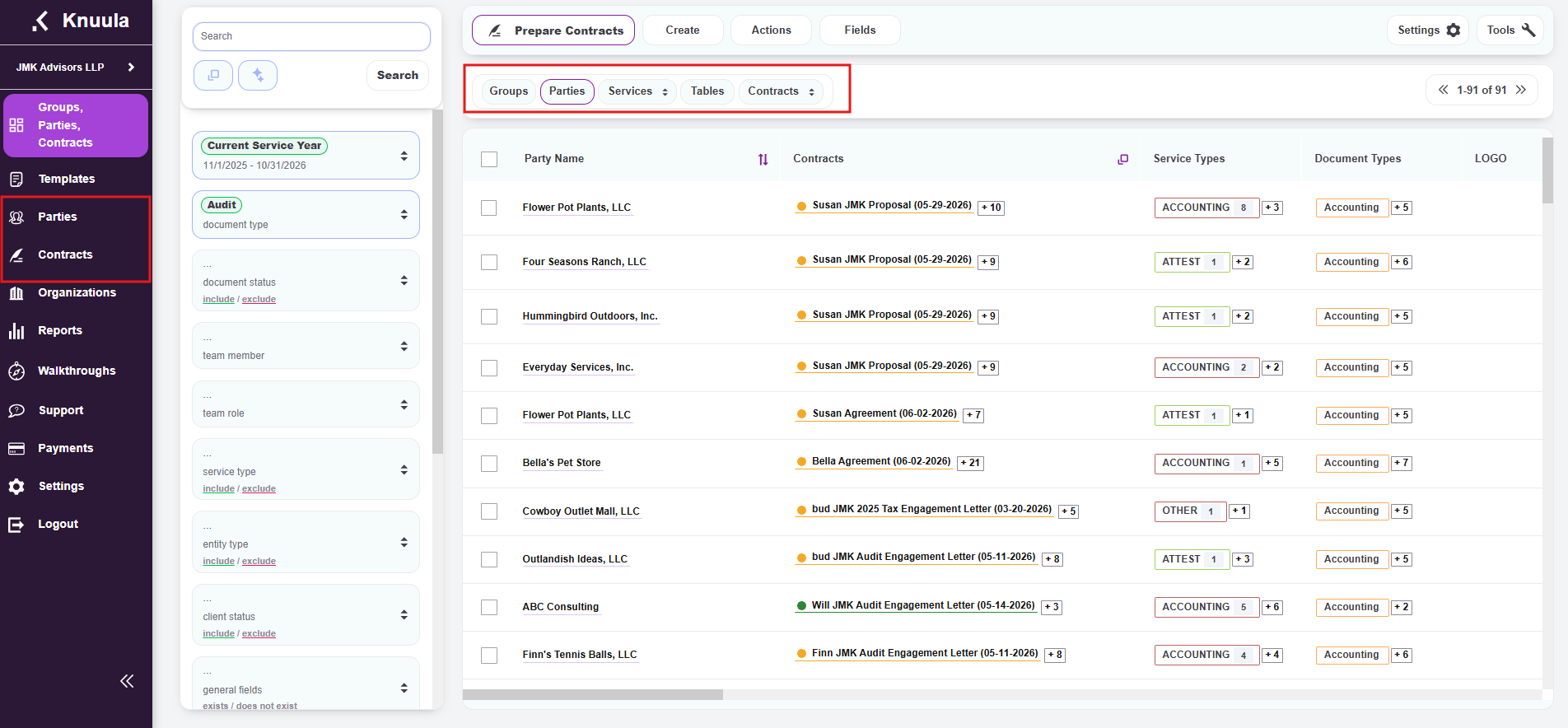
There are two ways to access the Parties and Contracts views in Knuula. Use whichever method fits your workflow:
Option 1 — Left Navigation Pane
The left sidebar has dedicated buttons for Parties and Contracts. Clicking either button takes you directly to that view from anywhere in the app.
Option 2 — Top Tabs
Across the top of the page, you'll find four tabs that let you switch between related views without navigating away:
- Groups — Shows party groups (households, related entities, or any clients linked under common ownership)
- Parties — Shows individual party records (clients, contacts, organizations)
- Services — Lists services tied to your firm and clients, with two sub-options.
- Tables — Shows table-level data tied to contracts (e.g., itemized fees, services, custom tables)
- Contracts — Shows engagement letters and other contract records, with three sub-options:
- All — Every contract across your firm
- Groups — Contracts associated with party groups
- Parties — Contracts associated with individual parties
Parties View — Your Client Directory
The Parties view is your client and contact directory. It shows the people and organizations your firm works with — one row per unique client, contact, or entity.
What it contains:
- Individual parties (clients, contacts, companies)
- Party groups (households, related entities under common ownership)
Primary use: Managing client information — entity type, status, contact details, assigned team members, services, custom fields, and any other client-level data.
Contracts View — Your Document Tracker
The Contracts view is your document and engagement tracker. It shows the engagement letters, proposals, forms, and other documents that have been prepared or sent — one row per contract.
What it contains:
- Individual contract or document records, each tied to a party or group
Primary use: Tracking document status, document types, fee details, and the workflow progress of each engagement letter — from drafted, to sent, to signed, to completed.
When to Use Each View
Here's a quick decision guide:
Use the Parties view when you need to:
- Find or open a client record
- Update client information (entity type, status, contact details)
- Add attachments to a client for future engagements
- See all clients matching specific criteria (e.g., active C-Corp clients with payroll services)
- Export a client list
Use the Contracts view when you need to:
- Check the status of a specific engagement letter
- Find letters that are pending signature or partner approval
- Review every contract sent during a specific time window
- Track how many contracts a team member has created or sent
- Export a contract status report