
Knuula supports multiple signers on a contract, including spouses on individual returns and second signers on business contracts. The exact behavior depends on how the template is configured and which fields you populate.
Note: Some accounts may have both second signer and spouse fields, some may have just one. The process for activating the sections is the same for both
Adding a second signer or spouse
- Confirm the template has second-signer fields enabled. These are not on by default — if you don't see a Second Signer/Spouse Email or Second Signer/Spouse Name field, contact Knuula support and tell them which template needs it added.
- While drafting the contract, enter the second name and email in the Second Signer fields. This triggers the signature section.
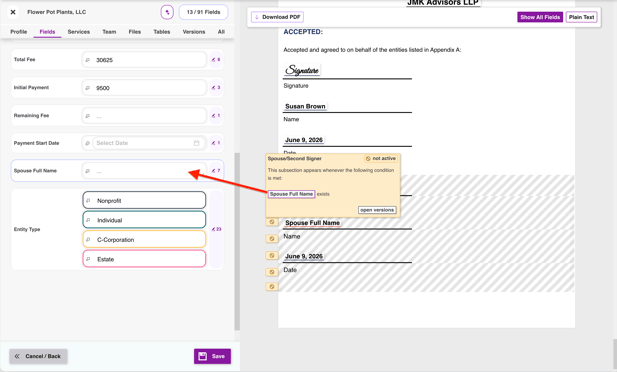
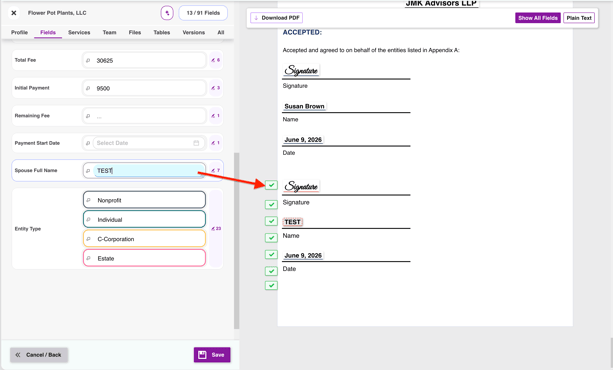
- Optional: you can have other second signer fields like title, first name & last name, and other details you may want to track in Knuula. If needed ask Knuula support for help.
Fixing the name on the signature line
If the wrong name appears on second signer line, then the variable on the template is likely mapped incorrectly. Contact Knuula support if this issue occurs.
Note: You can't add a spouse to a contract that didn't originally include one through the Revise flow. The contract has to be recreated.