
When a contract shows Opened, 100% Complete but not Document Complete, it means the client filled in every field and applied their signature, but closed their browser before clicking the final Finish button. Knuula needs that final click to mark the contract complete and render the signed date on the PDF.
You can mark the contract complete on your end without contacting the client.
- Go to the Contracts page.
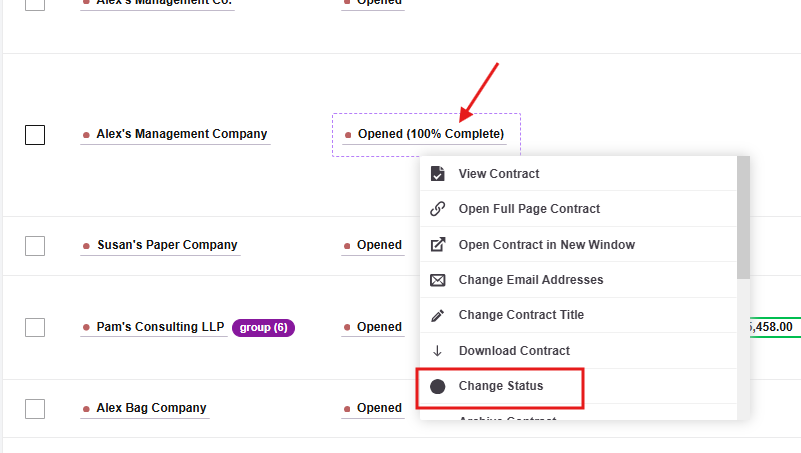
- Click the title of the contract to open the dropdown menu.
- Select Change Status.
- Choose Complete.
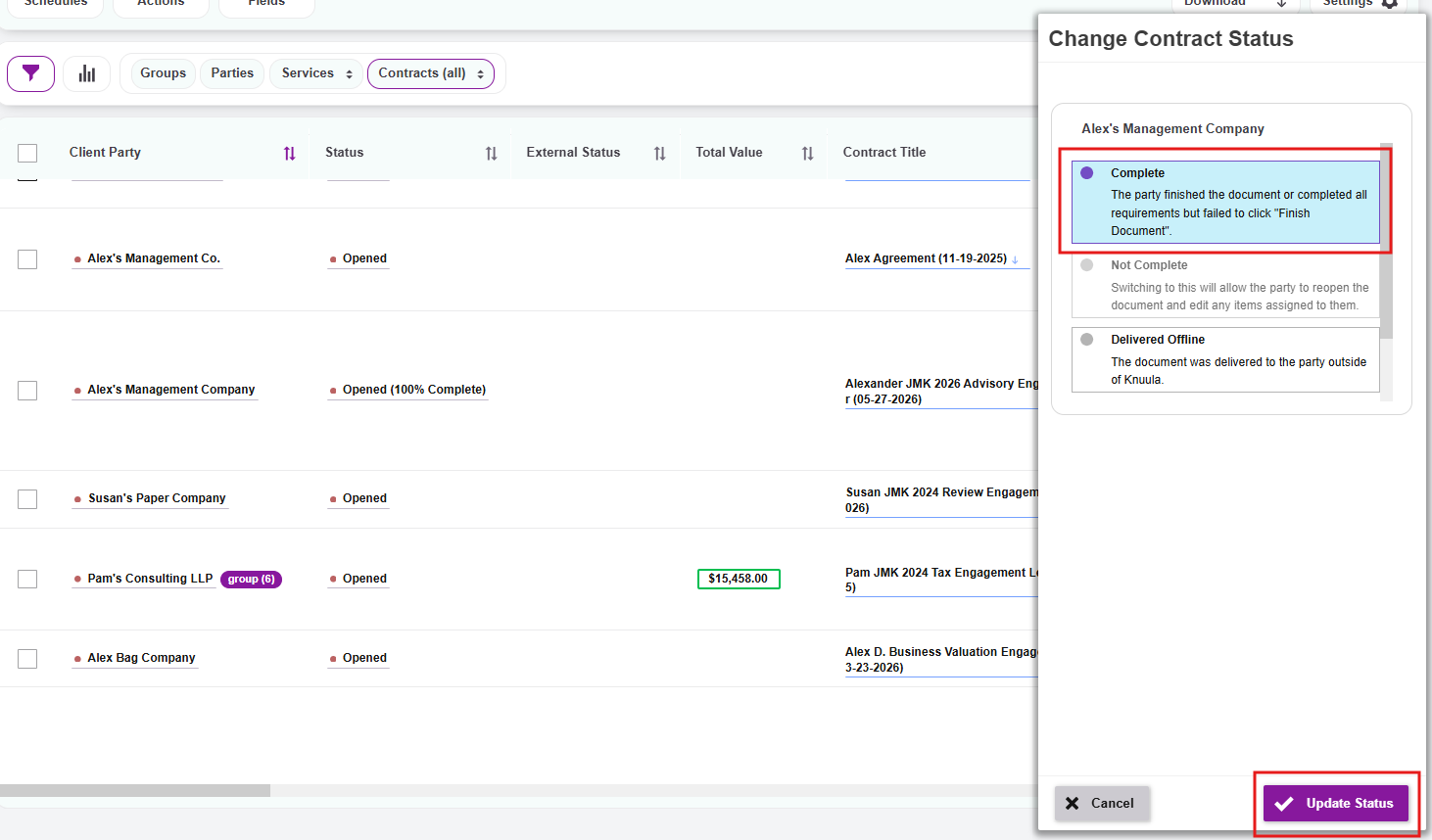
Once the status is updated, the signed date will populate on the downloaded PDF. If you need to verify when the client actually signed, you can download the contract with its audit logs from the contract view.
Please note: If you can't change the status because options are greyed out, scroll through the full list — there may be a valid option further down. If nothing is available, contact Knuula support.